Budget
Categories with monthly limits and a history of transactions.
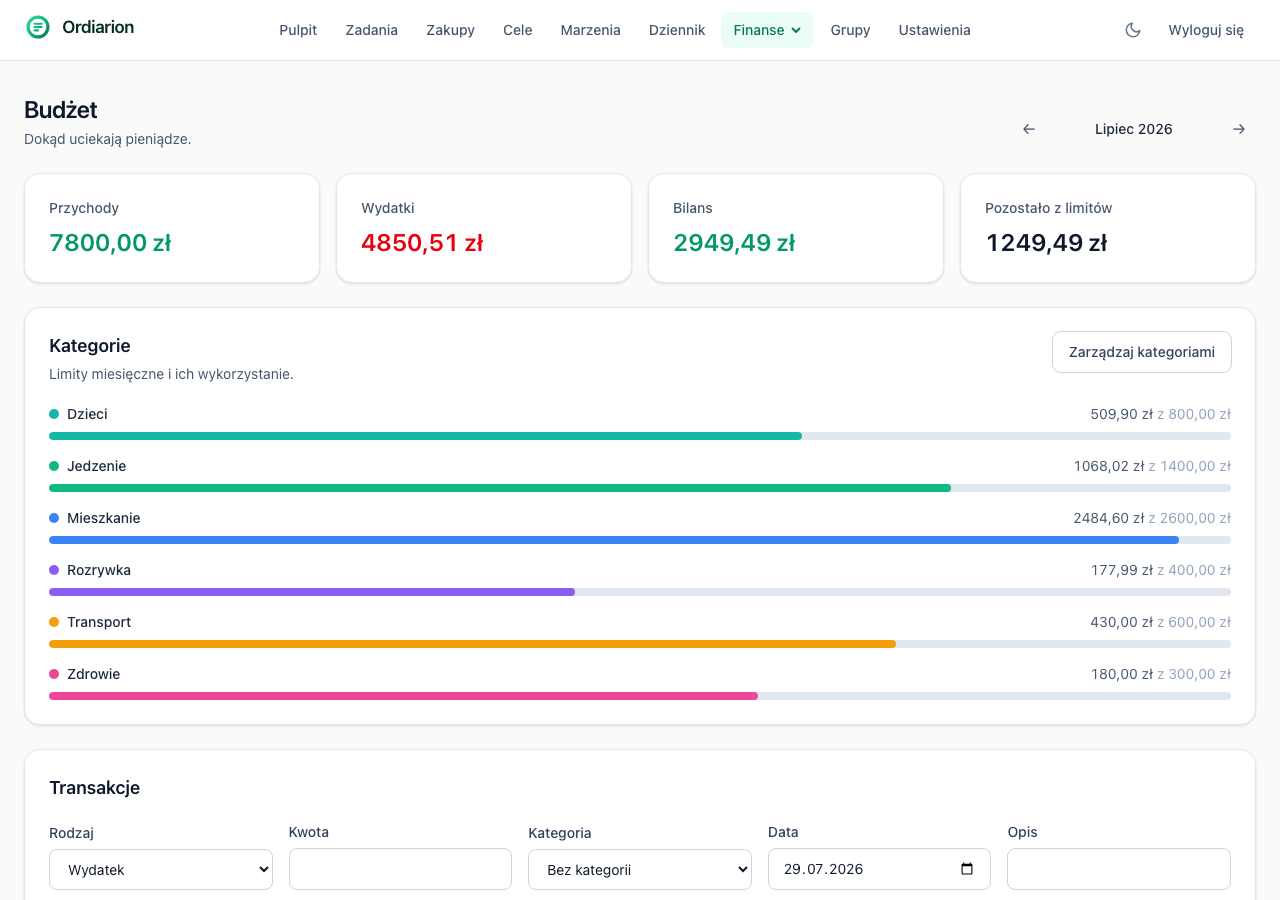
The budget in Ordiarion is built from categories with a monthly limit and individual transactions assigned to those categories.
Categories and limits
The limit is optional. A category without one still tracks spending — it just does not constrain anything. That is useful for the first month, while you still have no idea which amounts are realistic.
A category's colour comes back later on charts and against transactions, so it is worth choosing deliberately.
The month at a glance
Four numbers sit at the top: money in, money out, balance and limit remaining. The last one adds up only categories that actually have a limit — otherwise "remaining" would be misleading.
Arrows move between months. History stays, so you can go back and compare.
Spending chart
Below the numbers is the month's spending, either day by day or as a running total. The two views answer different questions. The daily one shows a one-off large purchase that disappears in a monthly total. The running total shows something more useful: whether your pace fits the limit, because a dashed line runs alongside the curve spreading the limit evenly across the days of the month.
A shared budget
A budget can be shared with a person or a group. The unit is the whole budget, not an individual category — categories and transactions are not gathered into containers the way shopping lists are, and a transaction with no category would belong to none of them.
Once shared, the other person gets a switch: "My budget" next to "Budget: Anna". An editor can add expenses and create categories, because a budget is shared in order to be run together.
Anything you want to keep to yourself, you keep outside the shared budget.