Dashboard
Your starting screen: what needs attention and what is coming up.
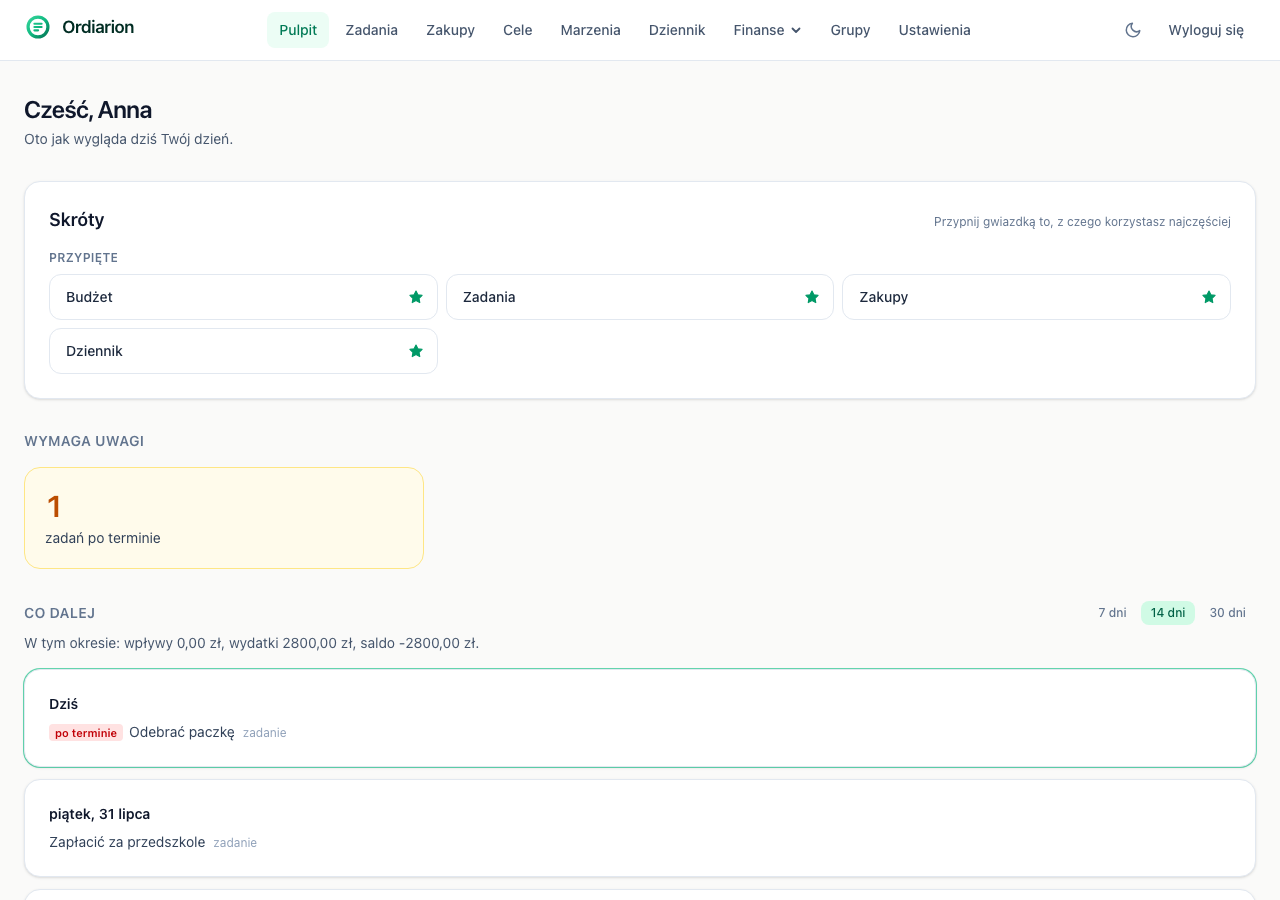
The dashboard answers two questions: is anything on fire and what is coming up. Everything else is one click away.
Shortcuts
At the top you will find pinned modules and the ones you used most recently. The star pins a module for good — pins are stored on your account, so they follow you to every device.
Recently used are worked out from your navigation and stay in the browser. That split is deliberate: pinning is a decision, browsing history is not.
Needs attention
This section shows only things genuinely overdue or exceeded — unpaid taxes, unpaid recurring costs, overdue tasks, budget limits you have gone past.
When there is nothing, the section disappears. That is on purpose: a list permanently filled with zeros would stop meaning anything, and after a week nobody would look at it.
Timeline
Below sits everything falling due over the next few days: loan payments, taxes, recurring costs, task and goal deadlines — all in one run, day by day.
The horizon switches between 7, 14 and 30 days. A week answers "what is happening this week", a month answers "will this stretch to payday".
Above the timeline is the sum of money coming in and going out over the chosen period — the one number on the dashboard that says outright whether the next few weeks add up.